Automation Case Study
How I Built an Automated Lead Generation System for Web Design Clients
Finding new clients is one of the biggest challenges for web designers, developers, and digital service providers. Many businesses need a website, SEO support, online visibility, booking forms, or automation, but finding those businesses at the right time can be difficult.
I wanted to solve this problem in a practical way.
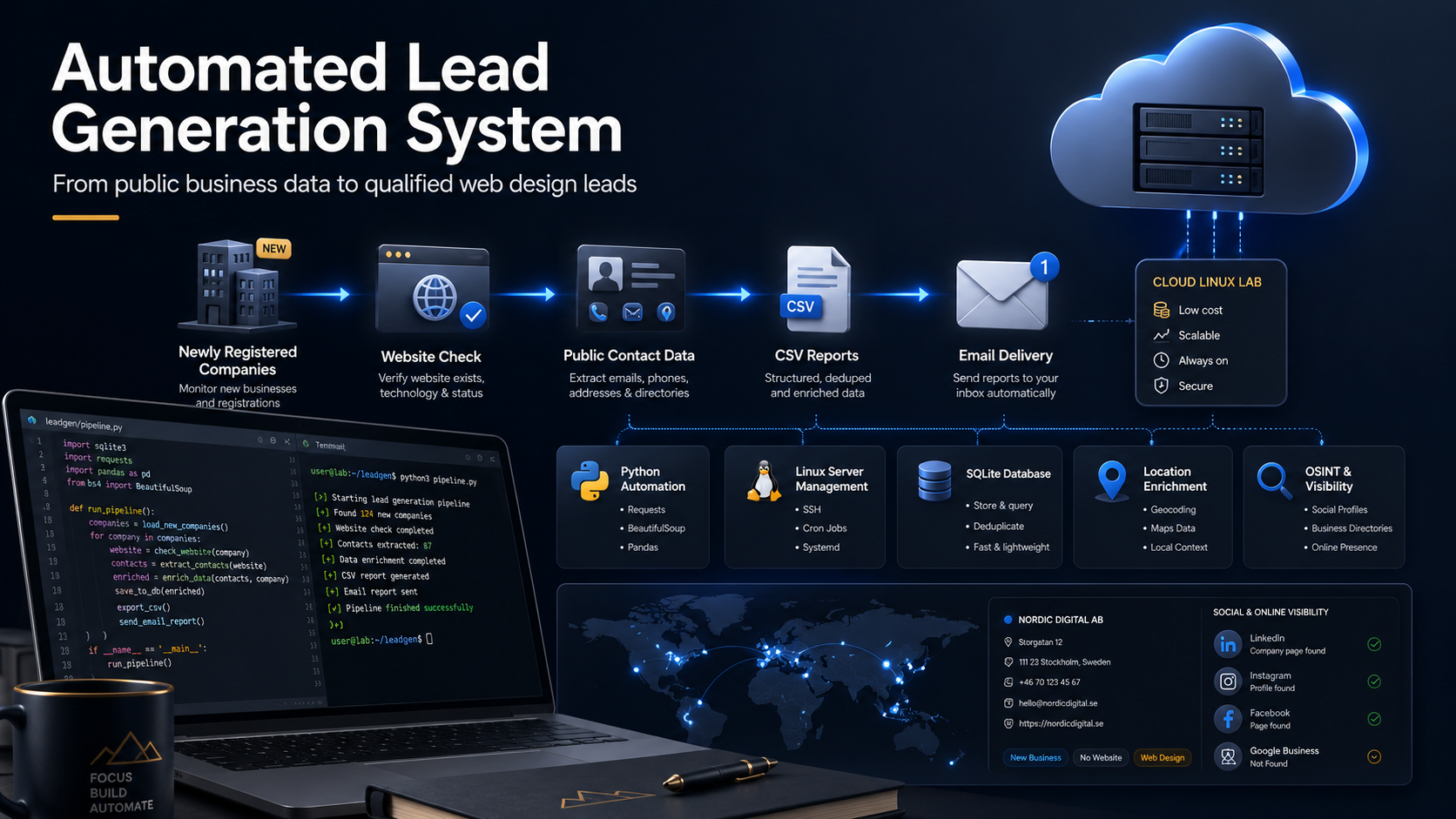
Instead of manually searching online every day for businesses that may need a website, I built an automated lead generation system that identifies newly registered companies, checks whether they already have a website, collects public contact information, and sends a clean report to my inbox.
This project became more than just a script. It became a real business workflow for Luxival.
The Problem I Wanted to Solve
When a business is newly registered, it often needs many digital services:
- A professional website
- A domain name
- Business email setup
- SEO visibility
- Google Business Profile setup
- Contact or booking forms
- Website testing
- Digital marketing support
- Automation for customer enquiries
- Better online credibility
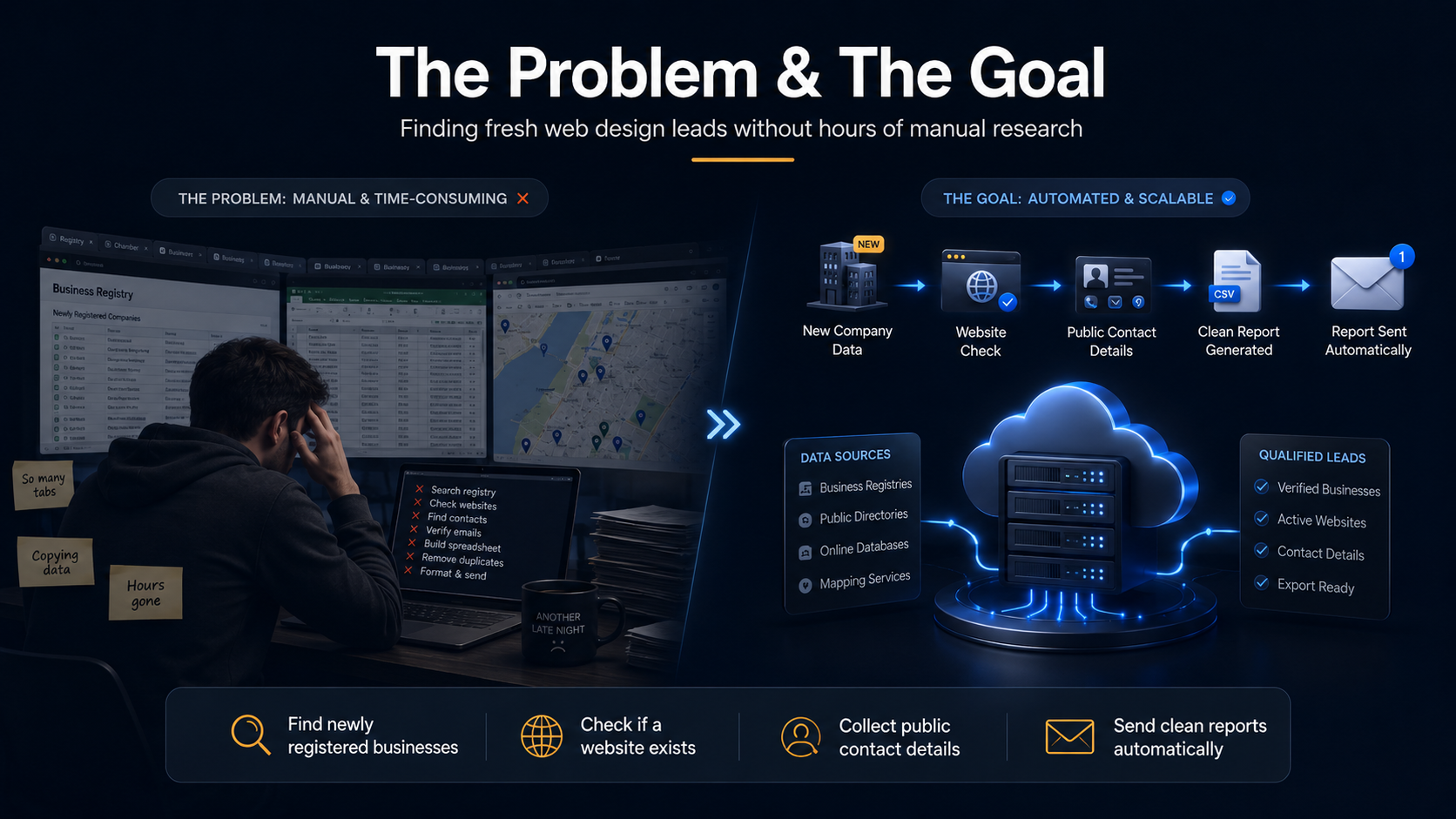
The challenge is simple: finding these businesses manually takes too much time.
Most days, that means searching registries, maps, websites, and social pages one by one. The process is repetitive, slow, and easy to postpone when client work gets busy.
So I asked myself:
Can I build a system that automatically finds fresh business opportunities and sends them to me in a clean format?
That question became this project.
The Goal of the System
The goal was to create a practical automation workflow that can:
- Find newly registered companies in Finland.
- Check if each company already has a website.
- Collect public contact details such as phone numbers and business data.
- Check the company's online visibility.
- Store the data safely.
- Remove duplicate leads.
- Export high quality leads into a CSV file.
- Send the report to my email automatically.
- Run reliably on a low cost self hosted Linux server.
The result is a repeatable workflow that helps identify companies that may need web design, SEO, automation, or visibility support.
The Technology Stack I Used
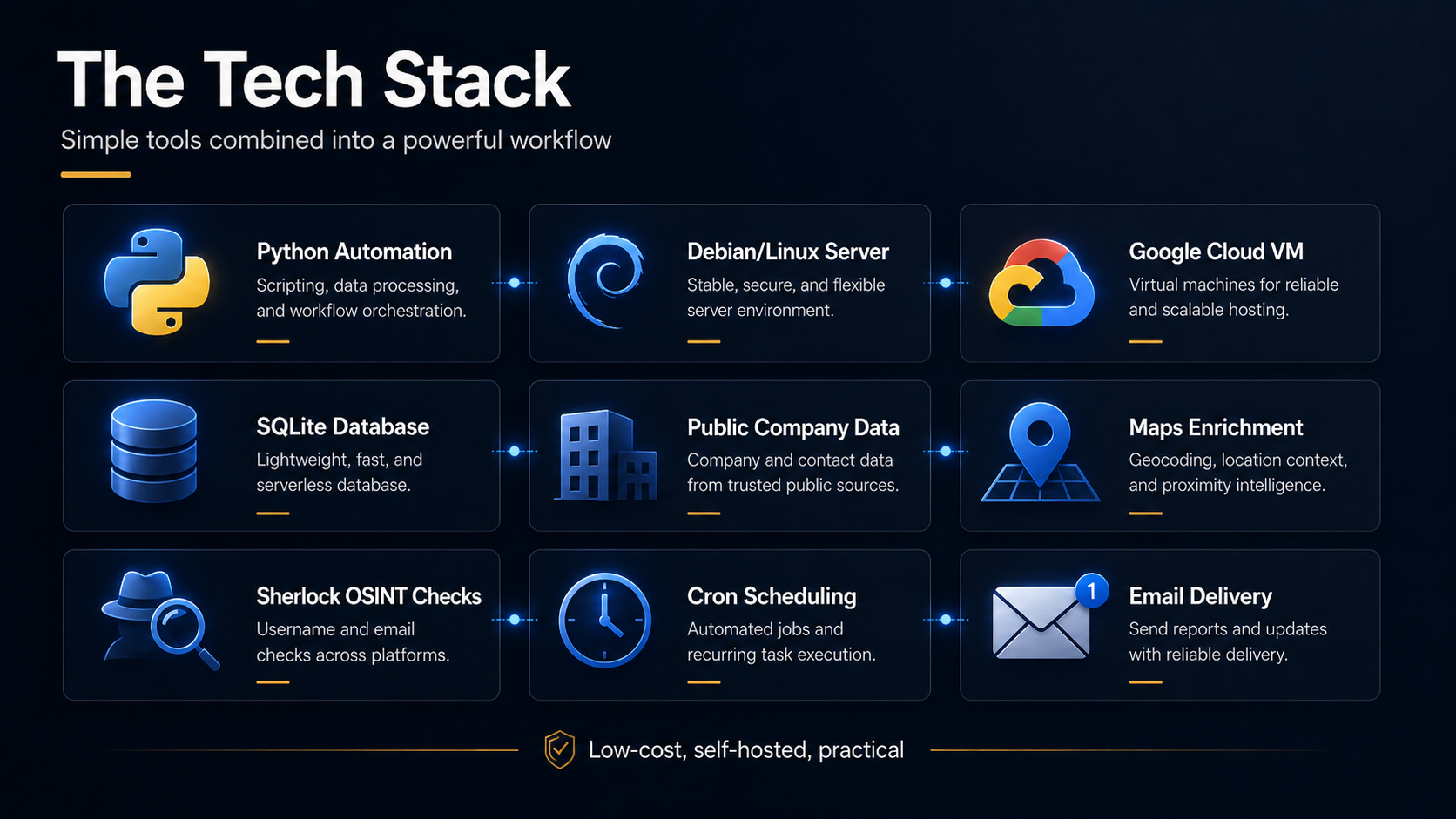
This system was built with simple, reliable tools:
- Python for automation logic
- Debian Linux as the server environment
- Google Cloud VM as the self hosted machine
- SQLite for storing lead data
- Public company registry data for newly registered companies
- Google Maps enrichment for website and phone checks
- Sherlock for public username and social footprint checks
- Cron jobs for scheduling
- Email automation for report delivery
- CSV export for easy follow up
The goal was never to make this complex. The goal was to make it useful and repeatable.
How the Lead Generation Workflow Works
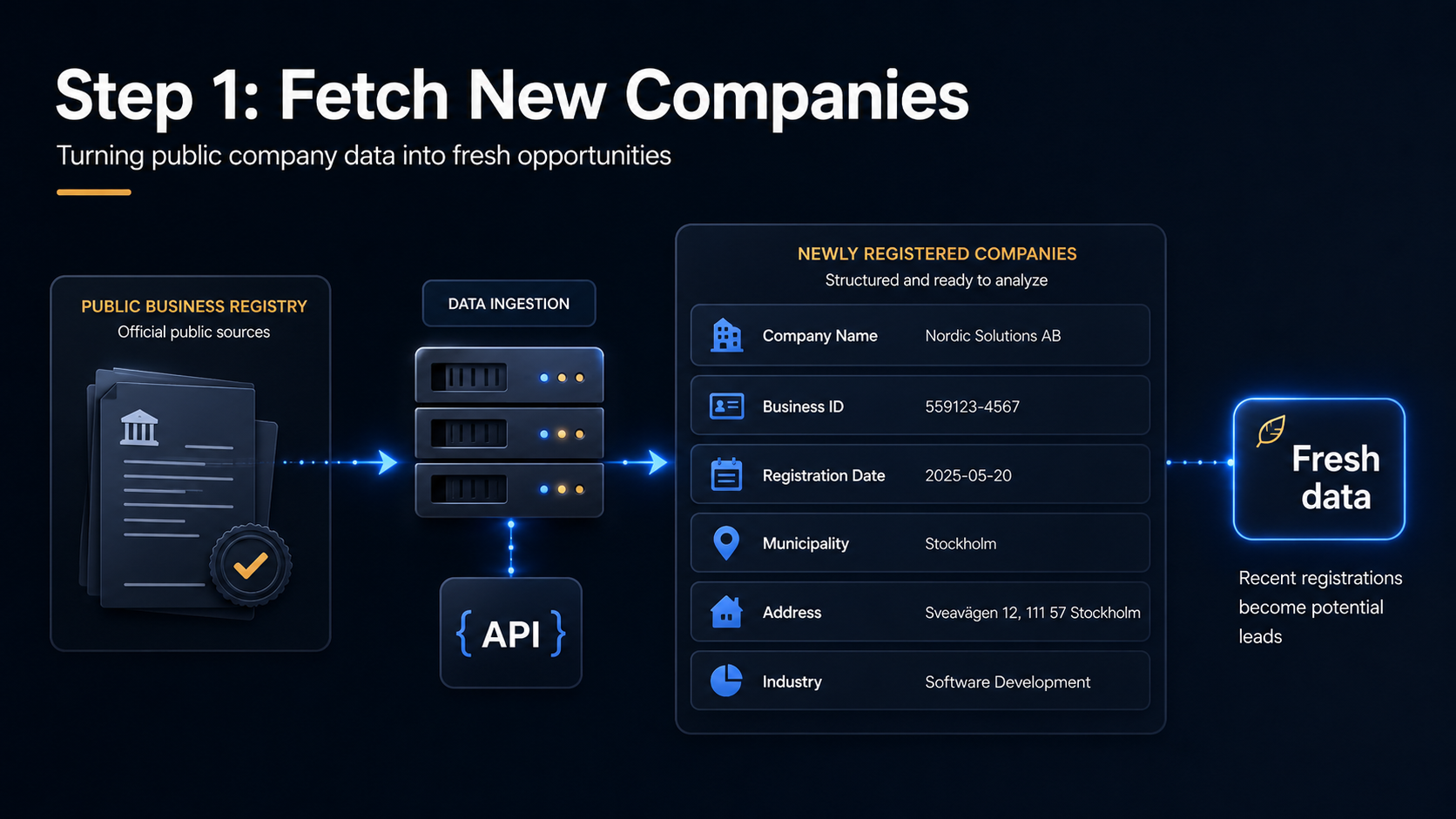
1. Fetch Newly Registered Companies
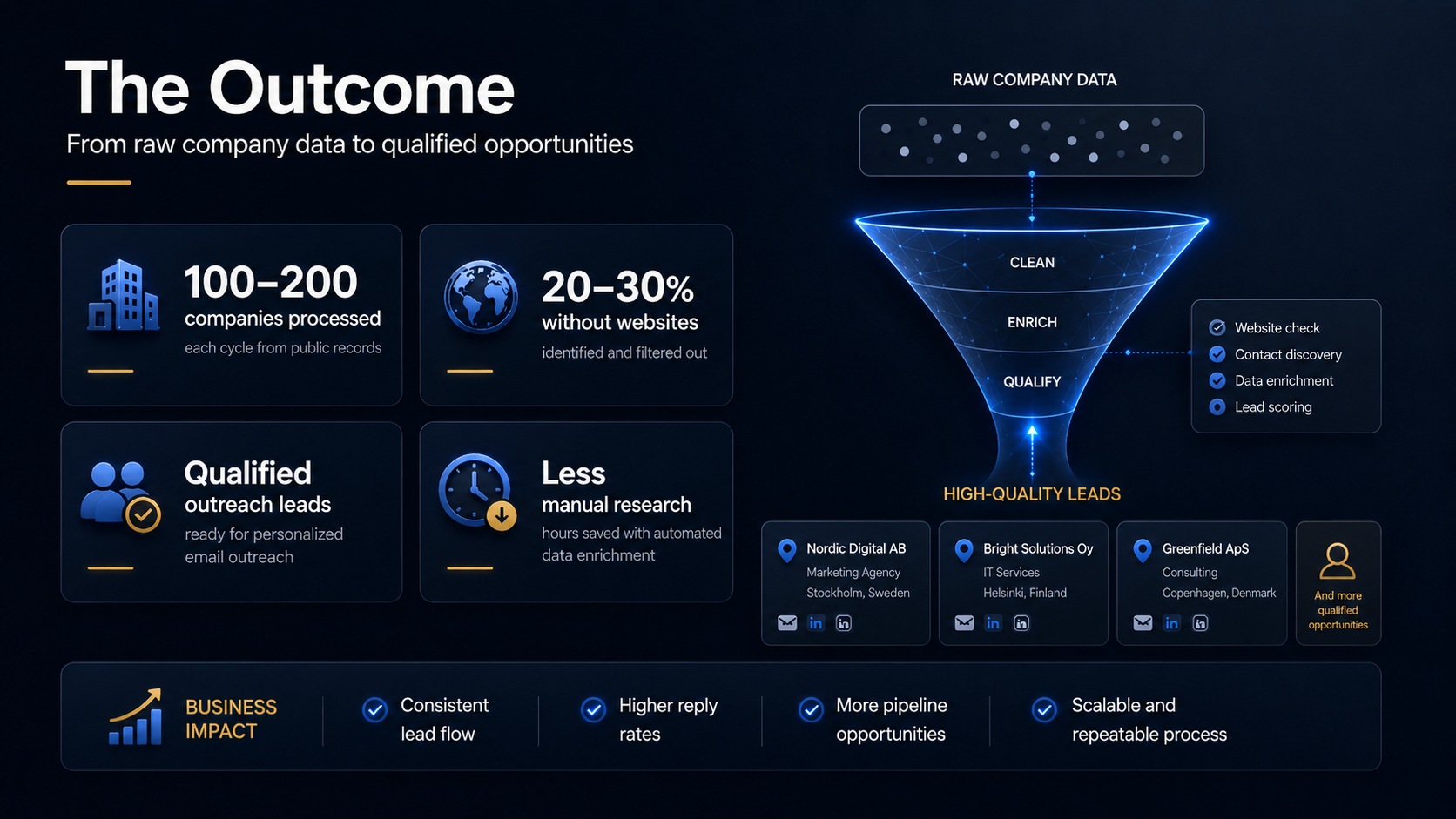
The first step pulls recently registered companies from public data sources and extracts useful details like company name, business ID, registration date, municipality, address, and available industry information.
This gives the system a fresh pipeline of potential businesses to review.
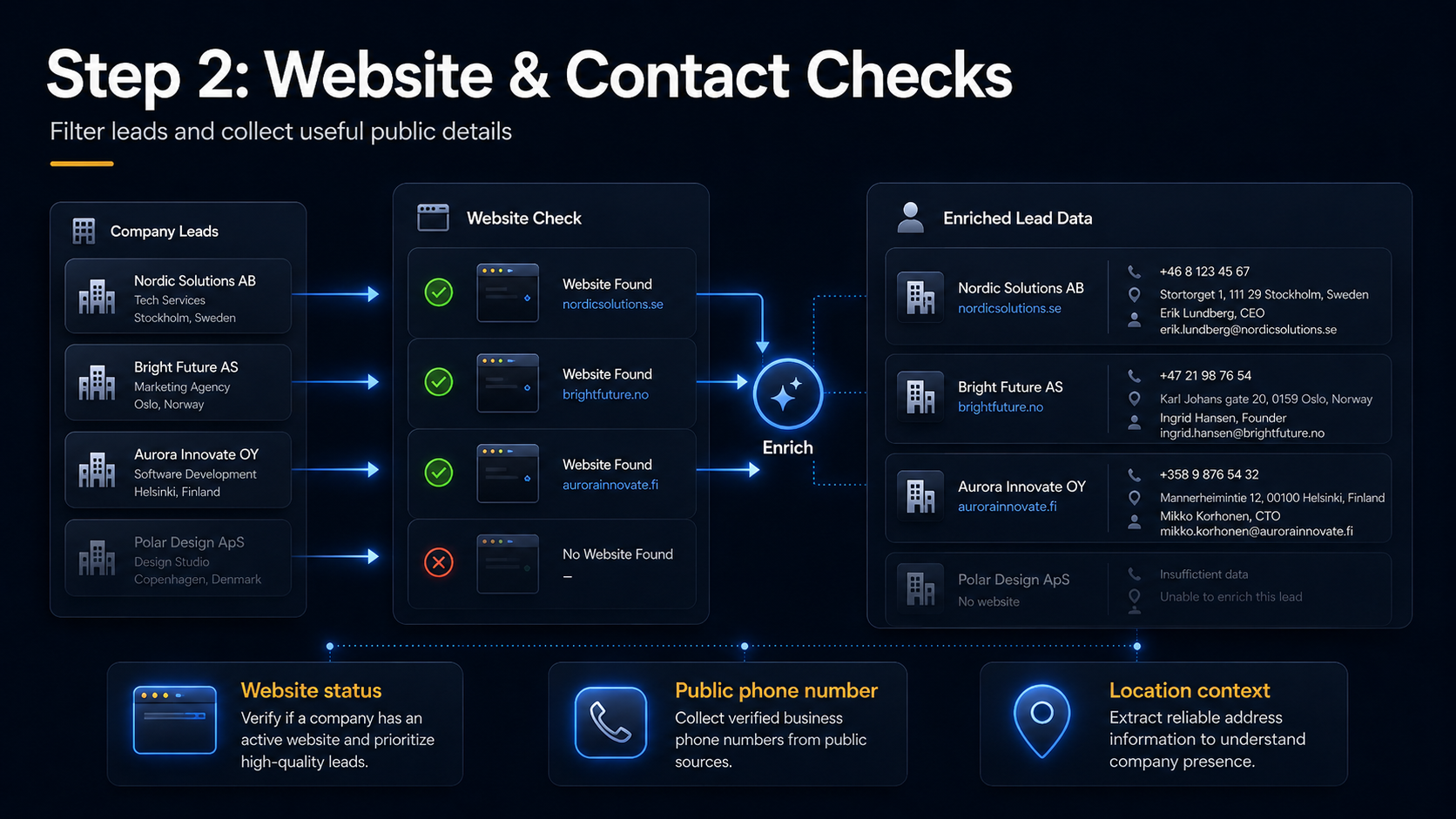
2. Check Whether the Company Has a Website
After collecting the list, the workflow checks whether each business already has a visible website.
This is one of the most important filters. If a company has no website or weak visibility, it is often a strong lead for digital support.
3. Collect Public Contact Details
The workflow then enriches each lead with publicly available data:
- Phone number
- Public business email (where available)
- Address and municipality
- Source links for traceability
The system is designed around ethical lead generation using public business information only.
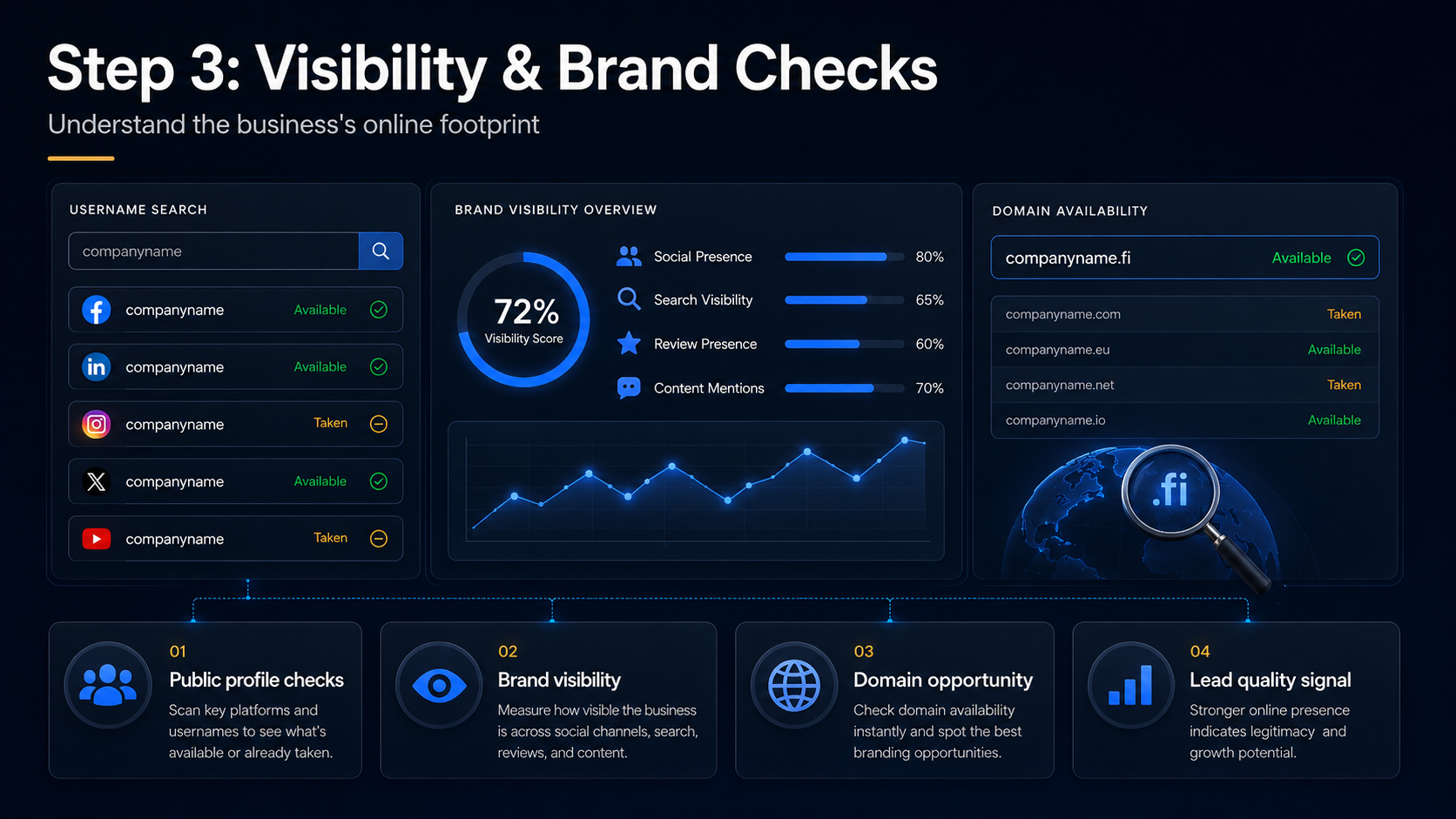
4. Check Social and Brand Visibility
I also use Sherlock to understand whether a brand name appears across public platforms. If a company has no website and very little social presence, that often signals a high value opportunity.
This helps shape service recommendations such as:
- Website setup
- Domain registration
- Social profile setup
- SEO basics
- Brand visibility improvements
- Google Business Profile support
5. Store Leads in SQLite
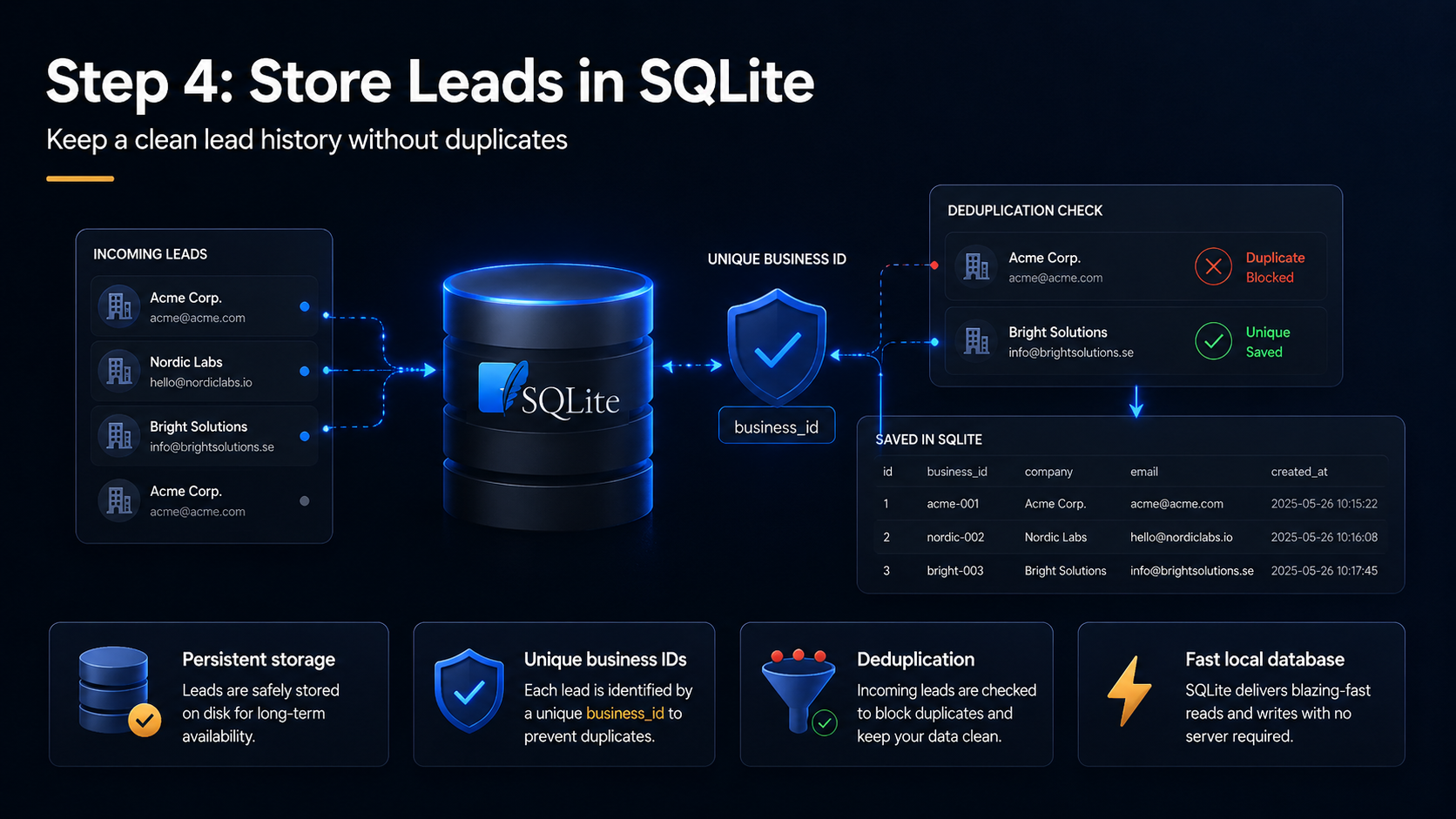
All leads are saved in a local SQLite database. This is critical for deduplication and lead history.
SQLite allows the workflow to:
- Store leads persistently
- Prevent duplicates across runs
- Track processed companies
- Keep clean export history
This turns a script into a lightweight lead system.
6. Export a Clean CSV Report
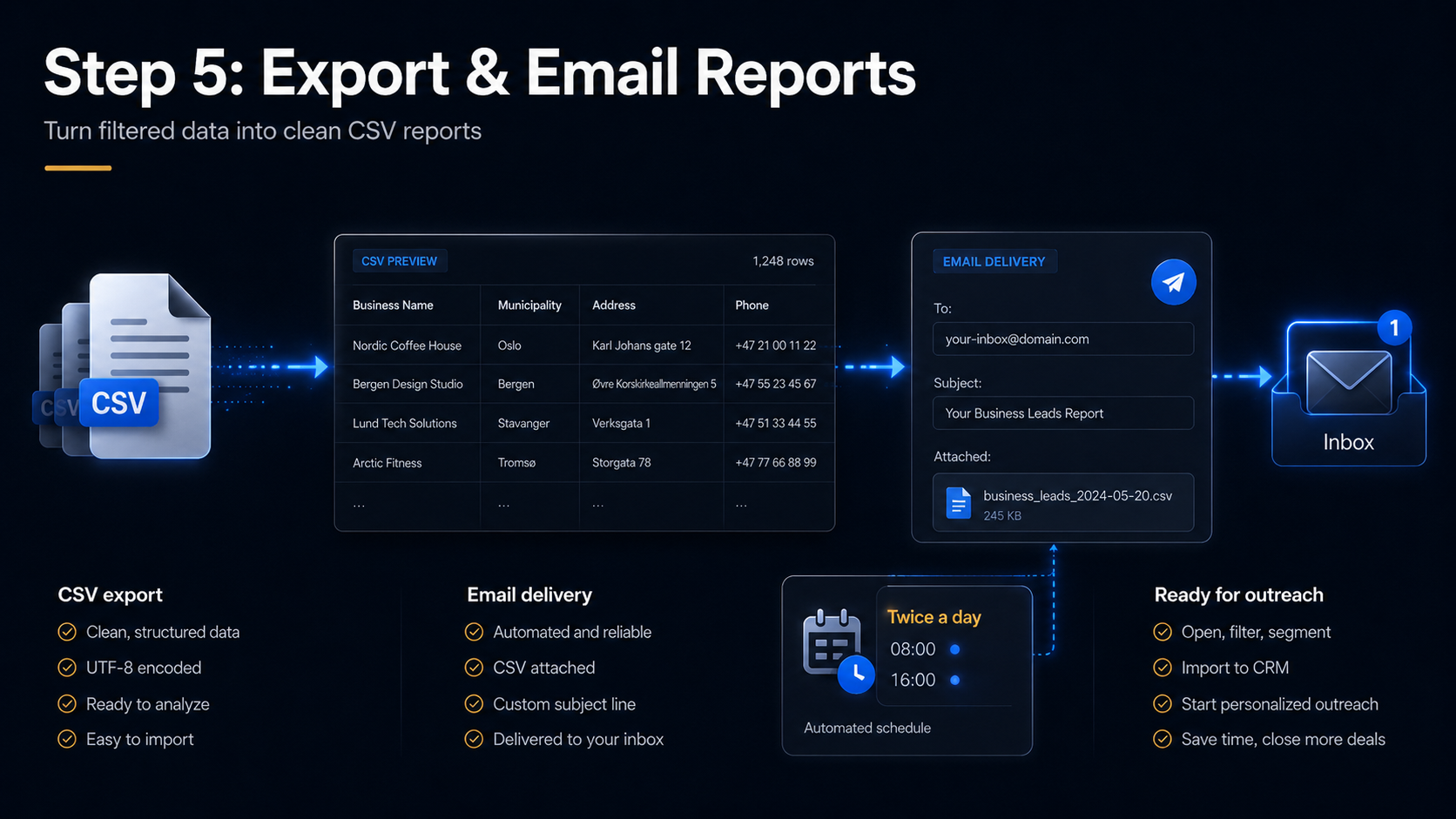
After filtering and deduplication, the best leads are exported into CSV with fields such as business name, municipality, address, phone number, website status, source information, and notes.
That makes follow up easy in spreadsheets or CRM tools.
7. Send the Report by Email
The final step sends the CSV report directly to my inbox. With cron scheduling, the workflow runs in the background while I focus on delivery and client communication.
Typical schedules include once every morning, once every evening, or twice per weekday depending on outreach cadence.
What the Output Looks Like
A typical export includes newly registered companies that may not yet have a website.
business_name, municipality, address, phone
Example Company Oy, Helsinki, Example Street 1, +358...
New Local Service Oy, Espoo, Example Road 5, +358...
Digital Start Oy, Tampere, Example Avenue 10, N/A
The strongest leads are usually businesses that are newly registered, have no visible website, include a public phone number, and show limited online presence.
Why This Project Matters
This project matters because it solves a real business bottleneck.
Small teams often spend hours doing manual lead research. Automation makes the process faster, more consistent, and easier to repeat.
With this workflow, I can:
- Save time
- Find fresher leads
- Reduce repetitive manual research
- Focus on outreach and conversations
- Build a repeatable sales process
- Use public data in a structured, ethical way
For Luxival, this is exactly the type of practical digital system I want to build for small businesses.
What I Learned
1. Automation Should Solve a Real Problem
Interesting technology is not enough. The system must solve a clear business problem.
In this case: How can I find better web design leads with less manual work?
2. Simple Tools Become Powerful Together
Python, SQLite, Linux, CSV, cron, and email are all straightforward tools. Connected properly, they create a high value workflow.
3. Clean Data Is More Valuable Than More Data
A shorter list of qualified leads is better than a long, noisy dataset. Filtering, cleaning, and deduplication create real value.
4. Ethical Lead Generation Matters
This system uses public business information only. It does not rely on private sources or intrusive scraping. The goal is professional outreach, not spam.
5. A Small Server Can Become a Business Asset
With the right scripts, a modest Linux VM can run collection, enrichment, storage, scoring, and reporting as a dependable operations tool.
How This Connects to Luxival
Luxival helps small businesses improve digital presence and operations. This project aligns directly with that mission through:
- Website design and development
- SEO improvement
- Website testing and QA workflows
- Lead generation systems
- AI assisted and automation workflows
- Business process optimization
Many businesses need more than a website. They need a connected system that helps them attract customers and manage operations efficiently.
Future Improvements
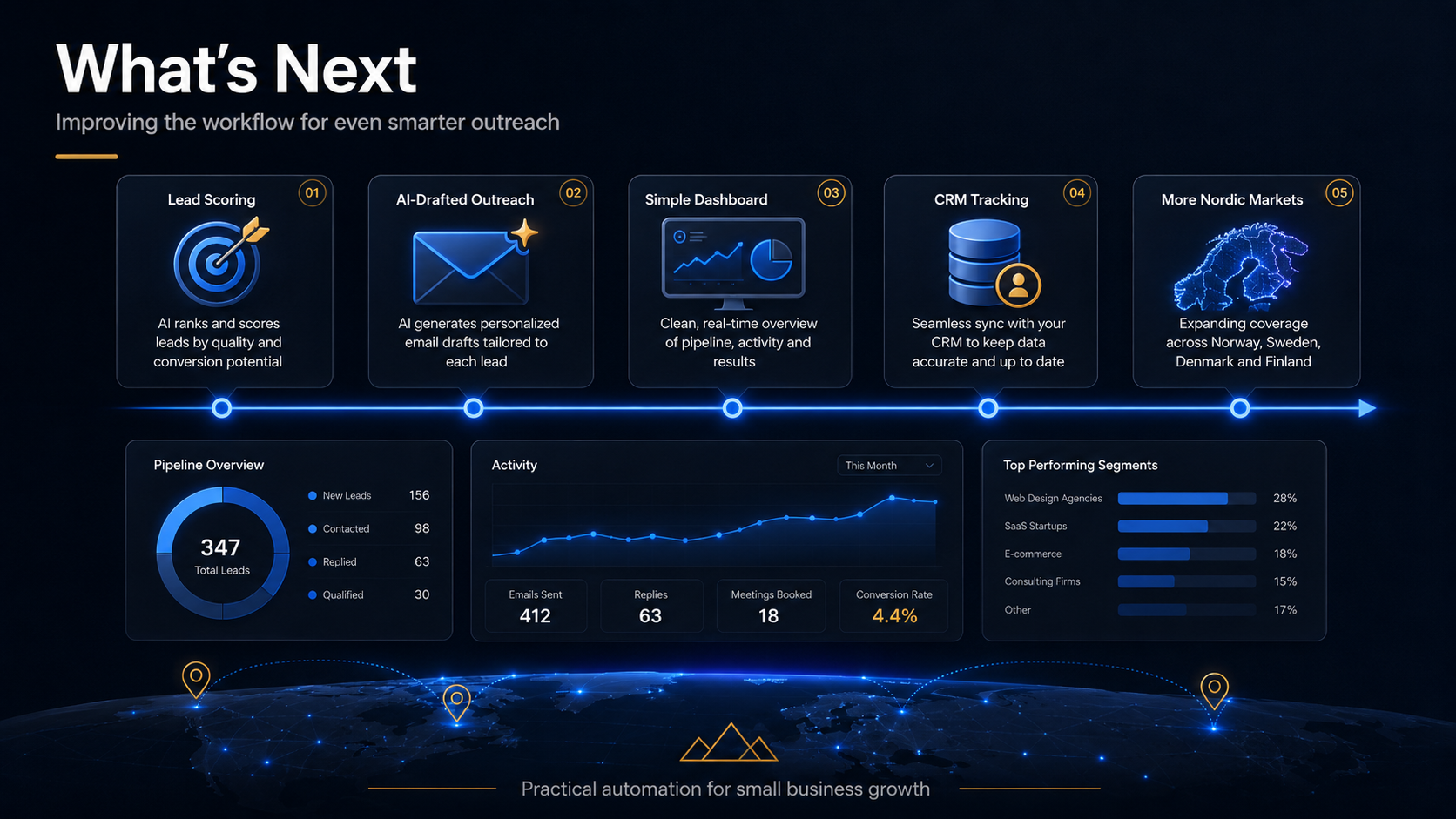
Next iterations I want to add:
Lead Scoring
Automatic ranking based on website gap, visibility strength, industry relevance, and contact quality.
AI Drafted Outreach
Personalized first draft outreach messages using industry, location, and visibility context.
Web Dashboard
A simple dashboard to filter leads by city or industry and track follow up status.
CRM Integration
A lead status flow such as New, Contacted, Interested, Follow up Needed, Converted, or Not Relevant.
Expansion Beyond Finland
The same workflow can extend to other Nordic markets using local public registry data sources.
Final Thoughts
This project was a major step in turning technical learning into a real business tool.
I did not just build a script. I built a workflow that supports sales, outreach, research, and digital operations.
For Luxival, this is the direction forward: practical web design, quality assurance, AI automation, and business systems that help small businesses work smarter.
A website is important. A smart digital workflow can create even more value.